Tagitize
Network License Management Portal
If you purchased one or more Network licenses, your administrators can use the free online license management portal to perform crucial tasks, such as:
- Force-release a license that is stuck on a machine, for example, when the user went on holiday without releasing it.
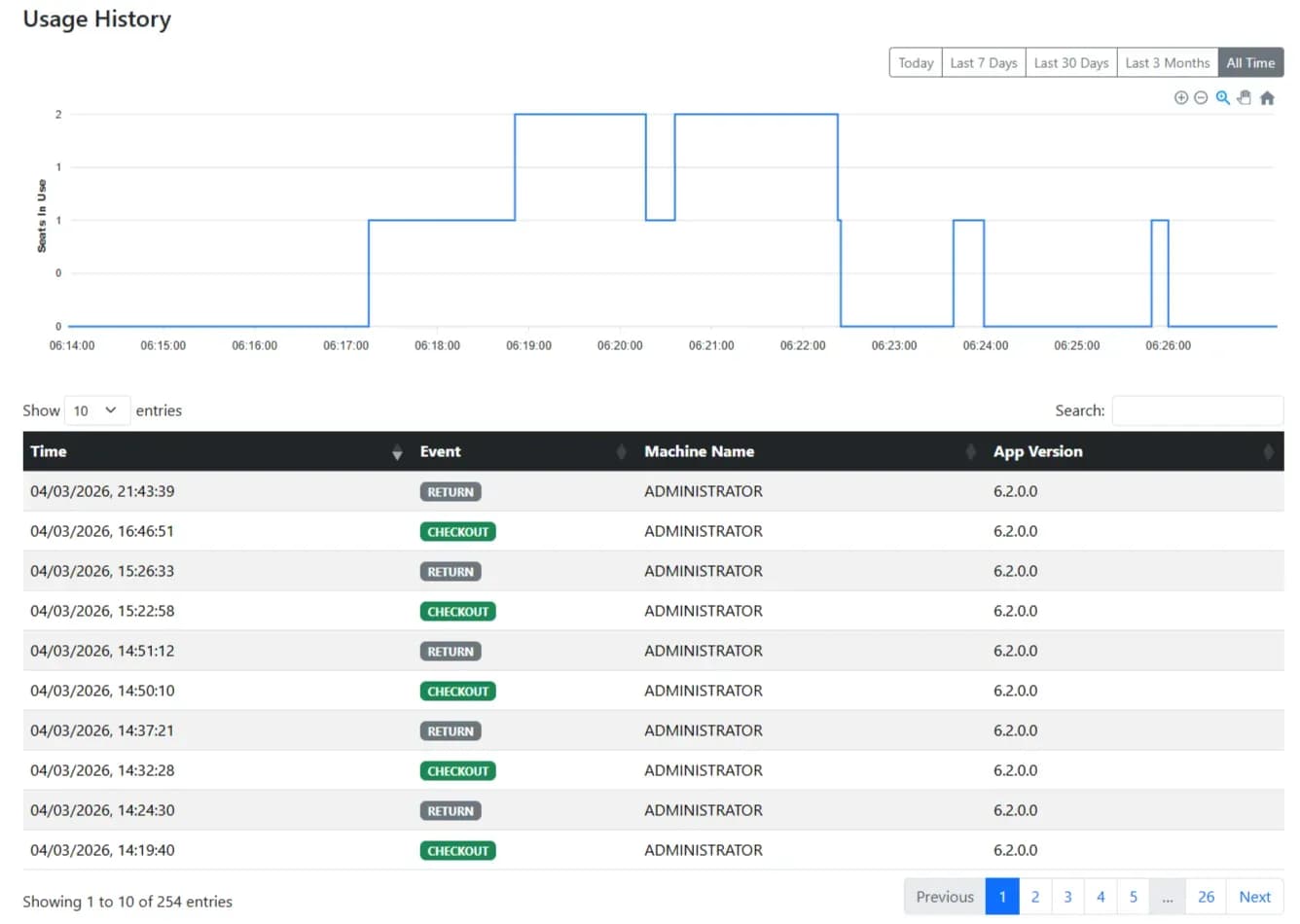
- Track the number of seats in use concurrently over time. This allows making an informed decision on buying more or fewer seats.
- Full log of when a license is checked out or returned for your internal audits.
- See all Tagitize licenses you have in one place
The portal is available at https://manage.tagitize.app/
The first time you access the portal, it will ask you to log in with the same email address used while purchasing the license. Once logged in, head to “Manage Team” where you can add other admins. They can then use their own email addresses to access the portal.