 Tagitize








Tag Revit views consistently
Save all your tagging styles in one place and tag one or several views or sheets at once.
Find out moreBatch-tag multiple views and sheets, apply your office's tagging rules, group repetitive elements and audit the results.
Tagitize runs locally on your Revit computer, keeping project-model processing off the cloud.
For Architecture, Structure, MEP and all other disciplines.
No credit card required
Trusted by Revit teams worldwide








Get started fast
Instead of building every tagging configuration from scratch, start from a view your team already trusts.
Open a Revit view that already has your office's preferred tags and leader styles.
Tagitize picks up the existing setup and saves it as a reusable style. Review it and adjust anything you want to change.
Use the saved configuration to batch-tag multiple views and sheets, and check the results.
What Tagitize does
Tagitize is the supercharged version of Tag All. Say goodbye to spending countless hours untangling Revit tags.
Save all your tagging styles in one place and tag one or several views or sheets at once.
Find out moreReview generated tags and add any final touches with our Tag Audit commands.
Find out moreTagitize can automatically group tags of parallel or identical Revit elements for a cleaner drawing.
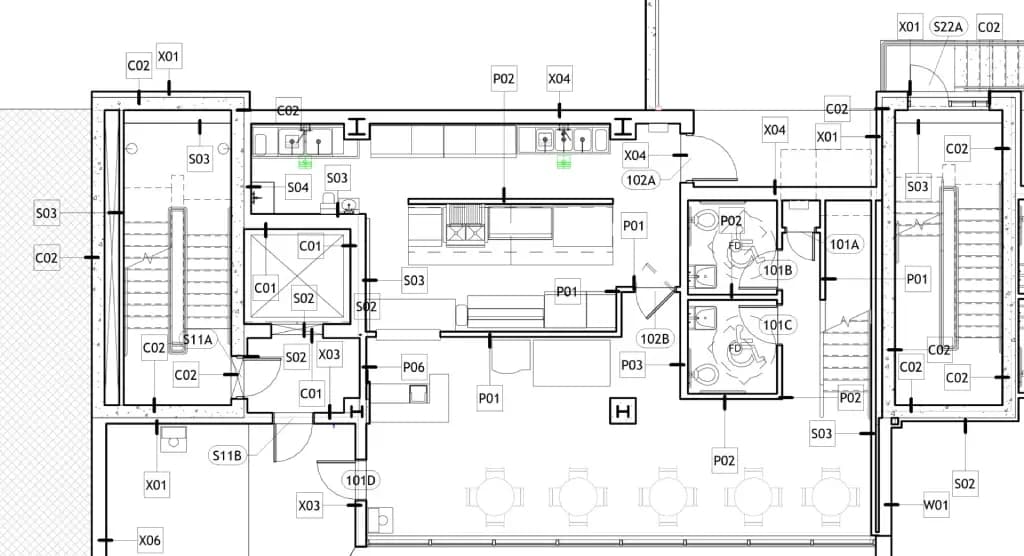
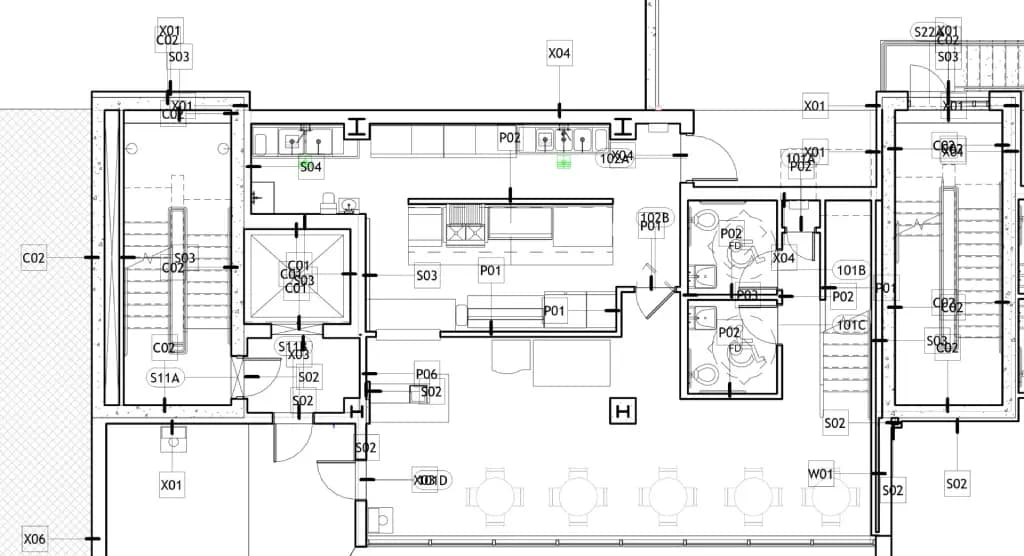
Find out moreCompare
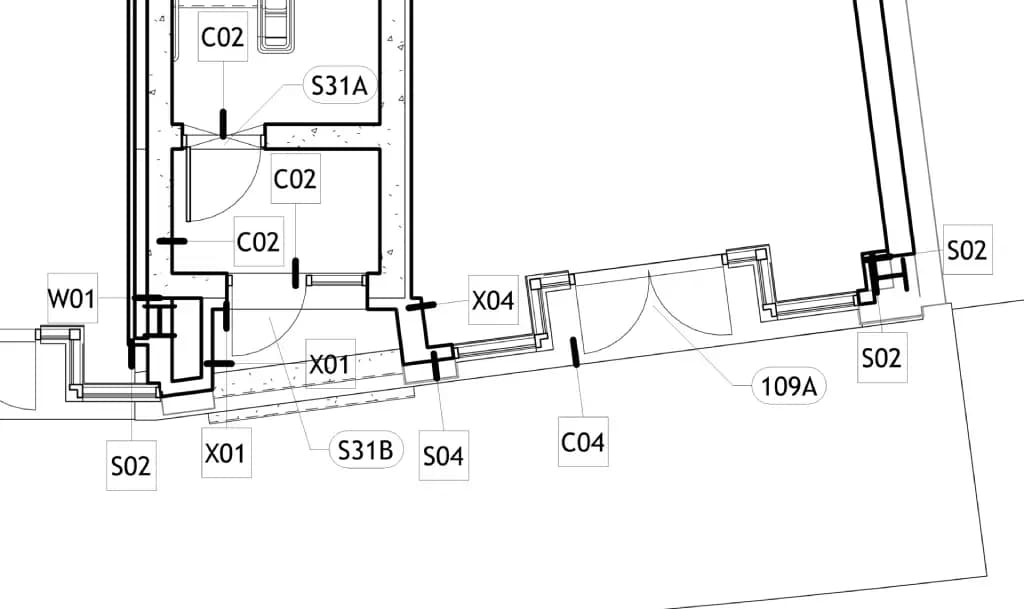
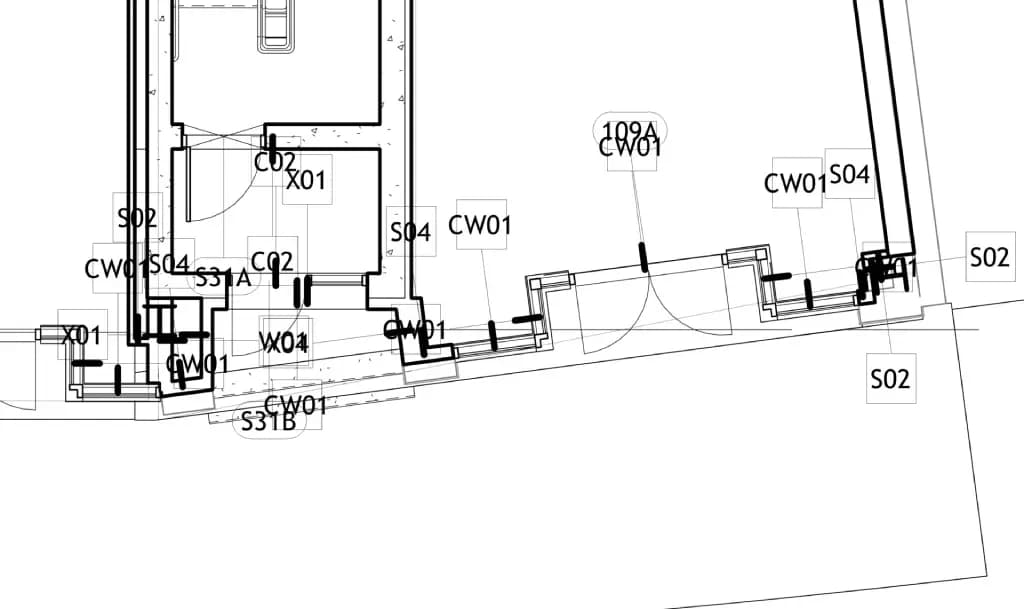
Drag the handle to see Revit's Tag All result next to Tagitize's.
Why Tagitize
Revit's Tag All command only works on the active view. With Tagitize, you can now tag multiple views and sheets at once.
Just import existing view/sheet sets, let the app work its magic, and enjoy your well-deserved break!
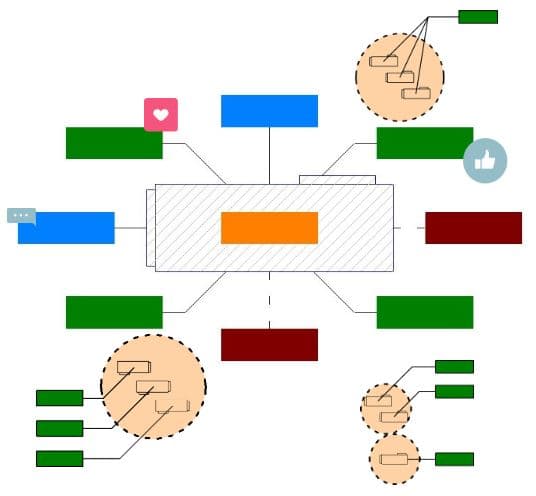
Not a fan of multi-leader tags? Want your tag leaders at 30 degrees and not 45?
Whichever your preferences, Tagitize's rich configuration options will have you covered.
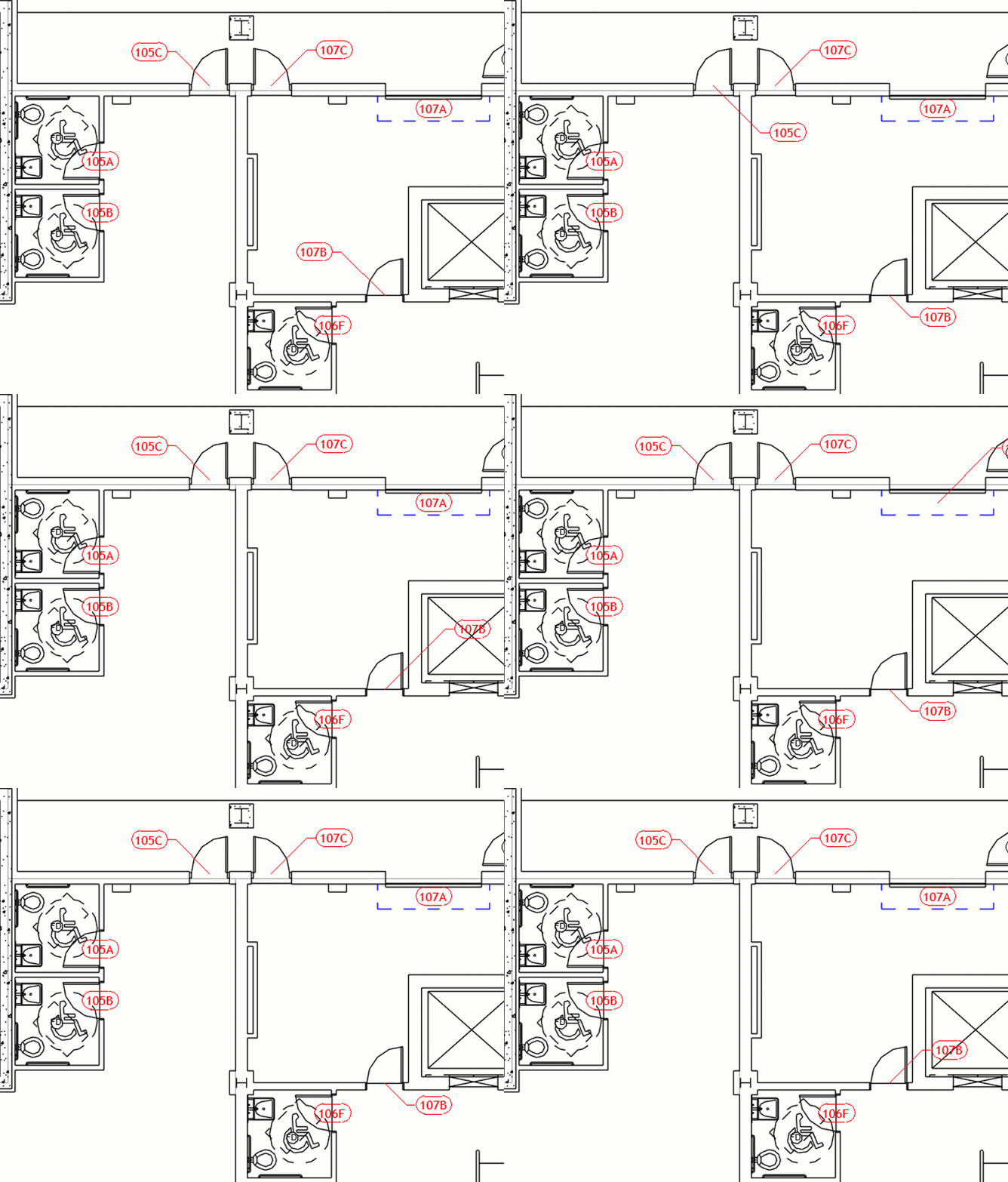
Want to tag only fire-rated doors or only walls longer than a certain length?
With Tag All, you would need to select or isolate these elements manually before tagging.
With Tagitize, simply set up some filters and the app will only tag elements passing all your conditions!
If Tagitize places any tags at incorrect positions, select those tags and let the app try the next possible locations.
You can go back and forth between options and choose the best one easily.
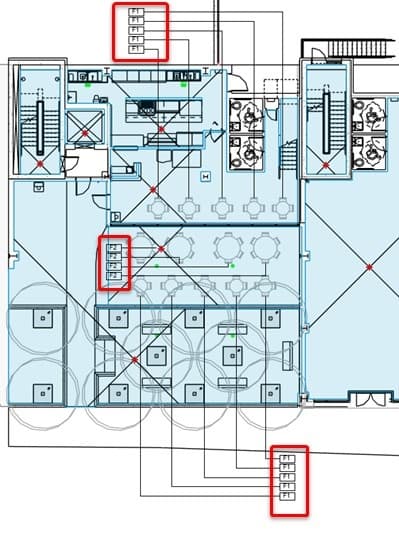
Tagitize can help reduce the number of tags while maintaining all required information.
You can now group tags by distance or rooms/spaces. Multi-leader tags are fully supported.
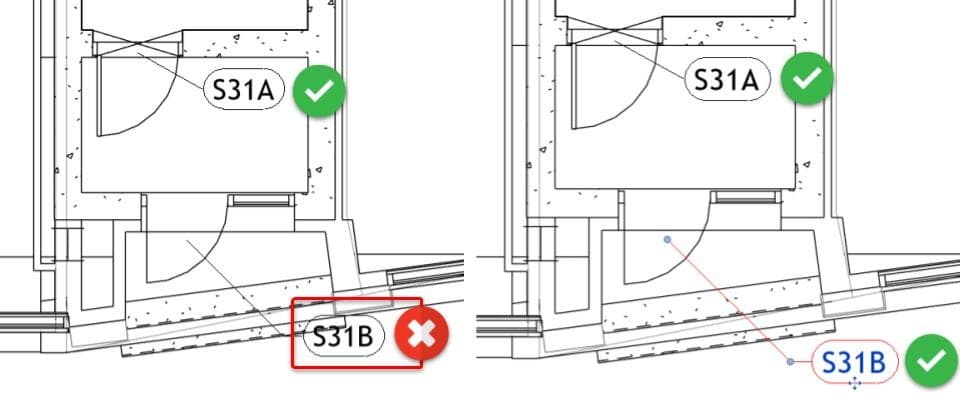
Beyond creating tags, Tagitize helps you audit existing ones effortlessly. For example, you can find all empty tags from one or multiple views.
The app can then zoom on each tag to help you decide whether to remove or keep it.
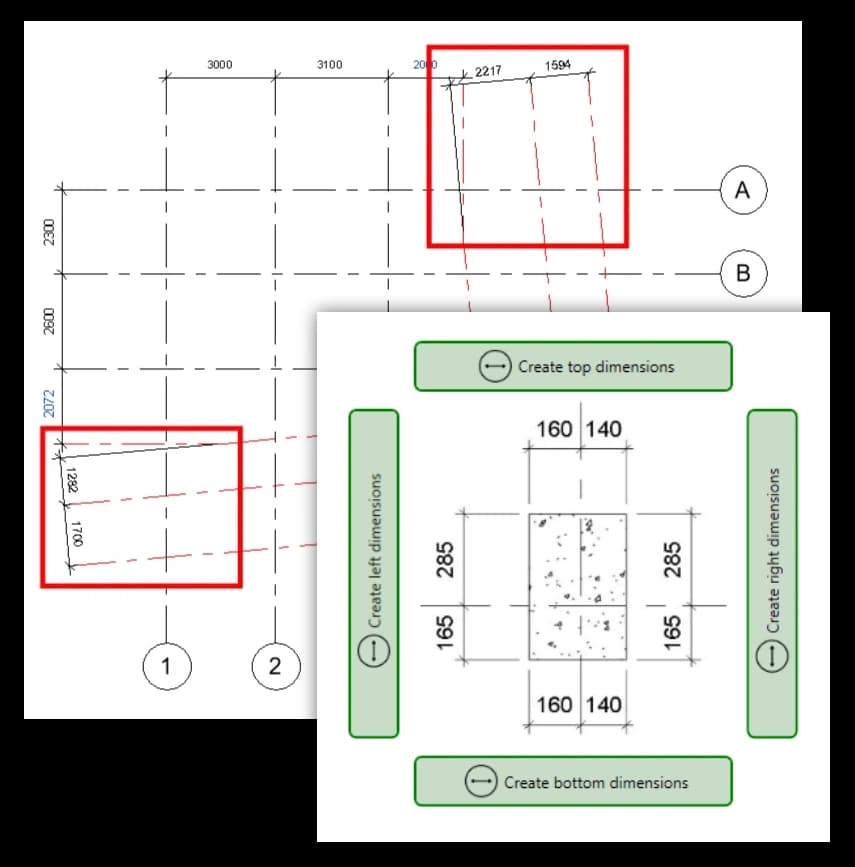
Guess what goes well with Tagging? Yes, it's Dimensioning!
You can also use Tagitize to automatically dimension the most common Revit categories like grids, walls, or columns.
Security
In the era of Artificial Intelligence, data sovereignty should be a top priority for all business leaders.
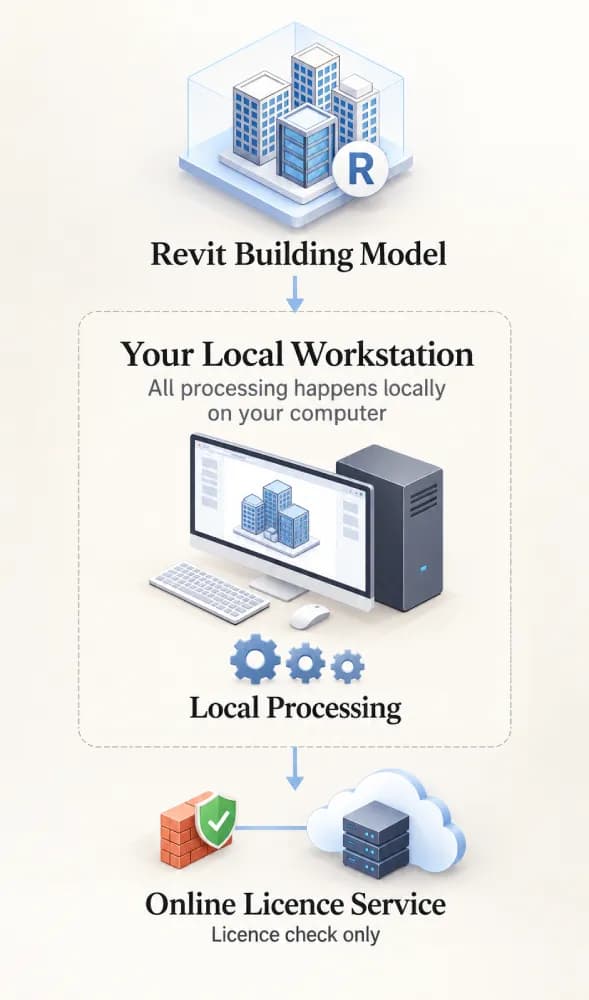
Stays on your workstation.
Happens locally on your Revit computer, not in the cloud.
Uses our online licence service where required. Apart from that, Tagitize doesn't depend on any other cloud service.
Real drawings
Pricing
All licence types give access to Tagitize's full set of features.
Great if you're running the show.
from $25 /month
Best if you're on a team.
from $50 /month
Need many seats or several offices? Tell us what you need and we will find you the best deal.
Custom
FAQ
Tag All only works on the active view and often results in tag overlaps. Tagitize can tag several views and sheets at once, avoid overlaps, group tags and only tag elements that pass your conditions.
Installers are available for Revit 2022 up to the latest version, and the standard licence works with all current and future Revit releases.
Yes, simply start a free trial. No credit card required.
No. Tagitize runs locally on your Revit computer. Apart from our own licensing server, it doesn't depend on any other cloud service.
Yes. Manage or cancel your subscription from the customer portal.
A Network licence is linked to your company's network. Activation and licence checks happen online, and no on-premise licence server is needed. If you need a licence for colleagues working on site or from home, check out the Enterprise licence.
Yes. Tagitize works with the tag families and types in your Revit project. Choose the tag types you want to use, then configure their placement, leader lines and other tagging preferences to match your office standards. You can also use different tag types for different tagging scenarios.
Yes. Tagitize saves its settings in the Revit project, making them available to other users working on that model. To reuse the same configuration in a different project, export your settings as a template and import it into the other model. For a successful import, the new project needs the referenced tag families, tag types and Revit filters used by the template.
Yes. Tagitize lets you define conditions that determine which elements should be tagged. Depending on the category, you can use options such as element types, minimum lengths, linked-element settings and existing Revit view filters to narrow down the results. This means you can target the elements that meet your requirements instead of tagging everything visible in a view.
Tagitize supports floor plans, reflected ceiling plans, building and detail sections, and building and detail elevations. You can process multiple supported views using the Tag View/Sheet Set command, and the Tag Audit commands also work with these view types.
Yes. For supported categories, you can enable the Tag Linked Elements option in Tag Settings to include elements from linked Revit models. You can also configure linked-model elements as underlay elements, allowing Tagitize to consider them when positioning new tags to avoid covering important model information. The available options depend on the category and your configuration.
Yes. Tagitize can group related elements based on proximity or rooms and spaces. Grouping can reduce the number of separate tags while retaining the required information, and multi-leader tags are supported.
Tagitize provides Tag Audit commands to check existing tags for collisions with other tags and Revit elements. You can inspect the reported results, zoom to selected tags, mirror or flip tags, and cycle through alternative positions using the Next and Previous commands. This lets you review and refine the result instead of relying entirely on automatic placement.
Yes. Tag Audit can check existing tags created by Tagitize or placed manually, provided their category is configured and enabled in Tag Settings. You can review reported collisions and make adjustments to improve the existing drawing.
Yes. Tagitize includes a Find Empty Tags command that helps identify tags that display no meaningful value. You can review the results, zoom to individual tags and decide which ones to remove, rather than deleting them all blindly.
Yes. In addition to tagging, Tagitize includes automated dimensioning commands for common Revit elements such as grids, walls and columns. Available operations depend on the element type and the dimensioning workflow.
Yes. Use Tag View/Sheet Set to select multiple views and sheets, or import an existing Revit view or sheet set. Tagitize opens the selected views as needed and processes them in sequence, so you don't need to navigate to and start tagging each view manually. You can also configure it to close each processed view to help manage memory when working with large sets.
Tagitize processes annotation locally on your Revit computer and does not depend on a third-party cloud annotation service. However, licence activation and licence checks use Tagitize's online licensing server, so an internet connection is needed for licensing.
A Tagitize Network licence can be installed on multiple company devices. The number of users who can use it simultaneously depends on the number of seats purchased. Each available seat is checked out when a user launches Tagitize and is returned when the licence is released or the relevant Revit session is closed. Administrators can use the online licence management portal to monitor seat usage and release a licence that has become stuck on a machine.
Yes. Each Tagitize installer is designed for a specific Revit release. You can install multiple versions of Tagitize on the same computer by downloading and running the relevant installers separately. Each installation operates independently, so installing one version does not interfere with the others.
Check out the case studies. See why our customers trust Tagitize with all their largest Revit projects.
Try the app for free for 30 days. No credit card required. We can't wait to hear your thoughts!