Tagitize
Tagging Revit MEP Models
Compared to other design disciplines, tagging drawings in MEP is the most challenging due to the higher density of elements in the view. The common categories to tag are: These and other MEP categories are all fully supported by Tagitize. For example, the result of tagging the first 3…
2 min read

Compared to other design disciplines, tagging drawings in MEP is the most challenging due to the higher density of elements in the view. The common categories to tag are:
- Mechanical Equipment
- Air Terminals
- Pipes, Pipe Fittings, Pipe Accessories
- Ducts, Duct Fittings, Duct Accessories
- and more
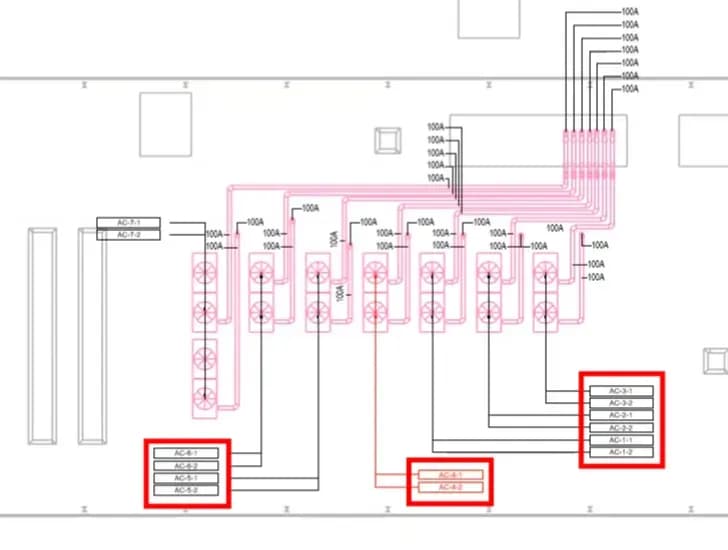
These and other MEP categories are all fully supported by Tagitize. For example, the result of tagging the first 3 category groups will look like this:
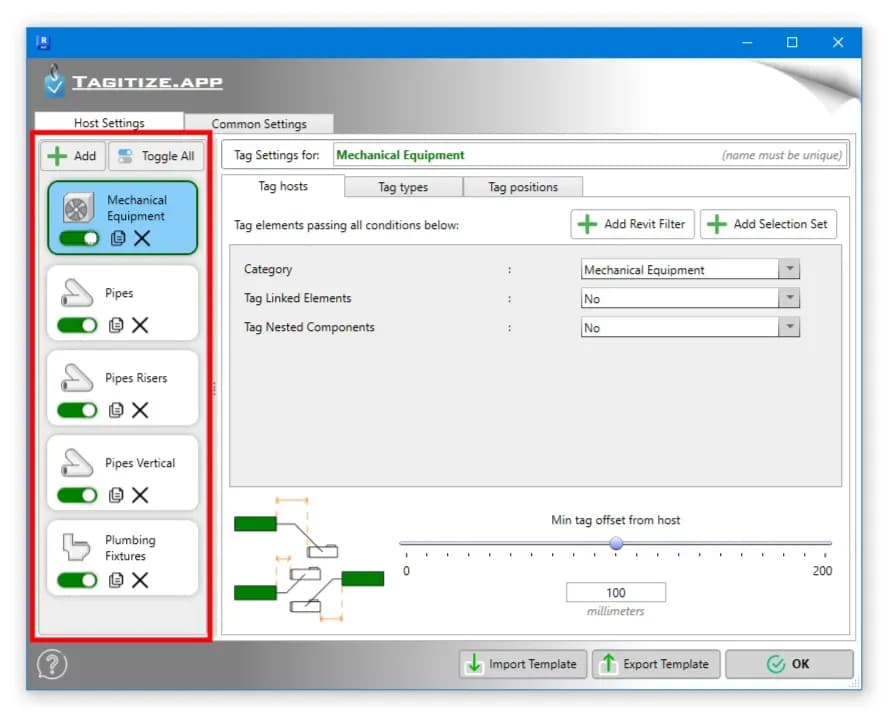
In terms of configuration, the setting for an MEP model will need to leverage several of Tagitize’s powerful features to handle complexity well. For the view above, we added the following categories:
Creating Grouped Tags
MEP views often require grouping tags of parallel pipes and ducts. This helps fit more tags into the available space:
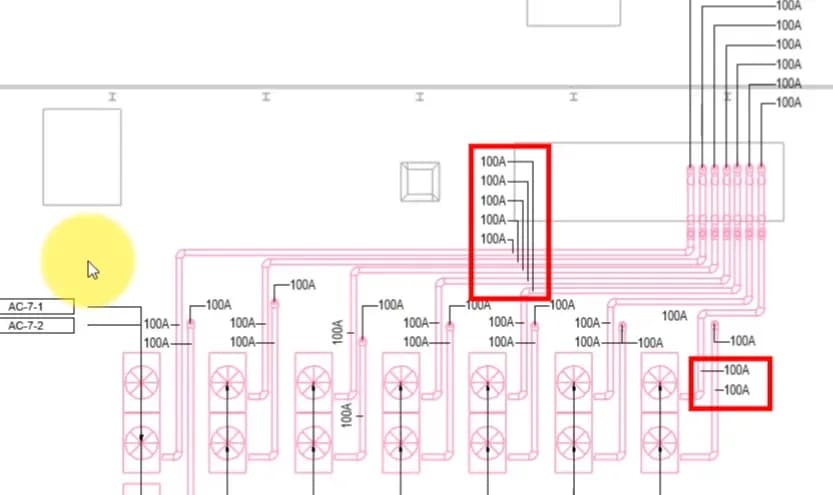
To achieve this effect with Tagitize, specify a tag family for “Grouped Hosts”:
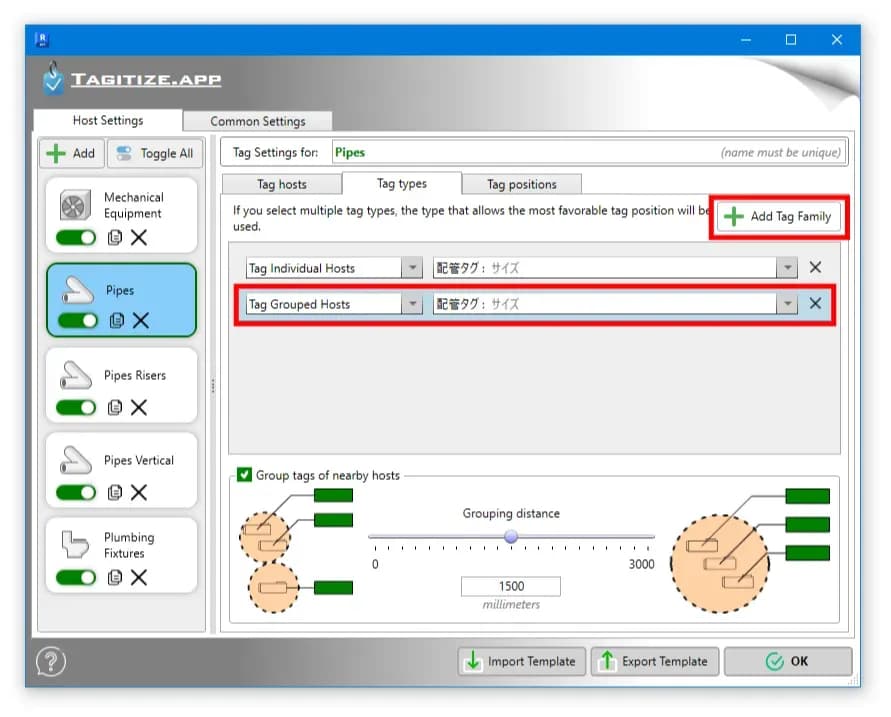
Then, enable “Group tags of nearby hosts” and set a max grouping distance using the provided slider or numeric input box:
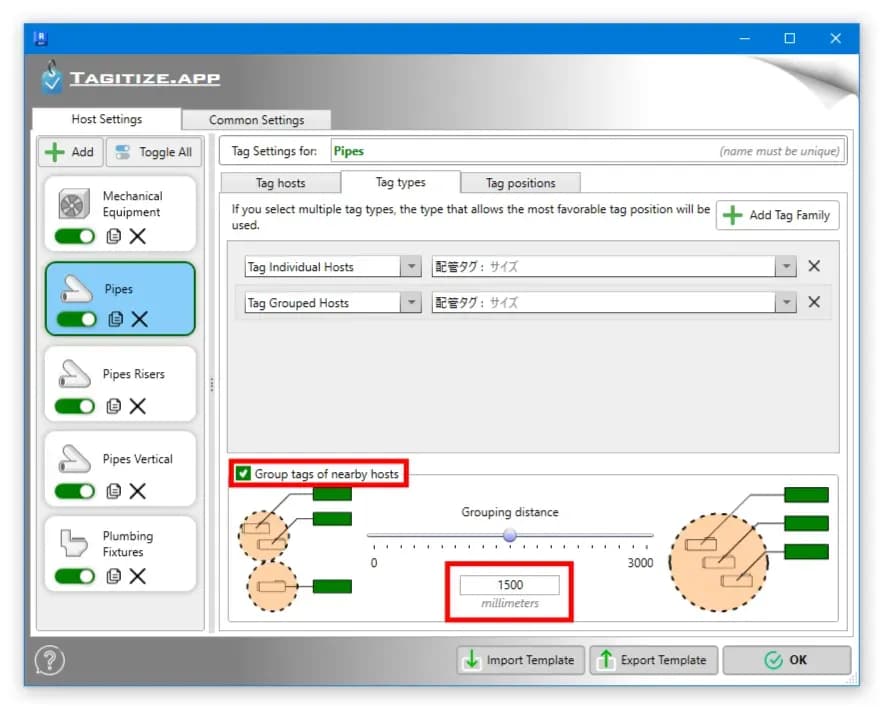
You can also group tags of point-based Revit elements using the same technique. However, note that the host elements need to be of the same family type for their tags to be grouped.
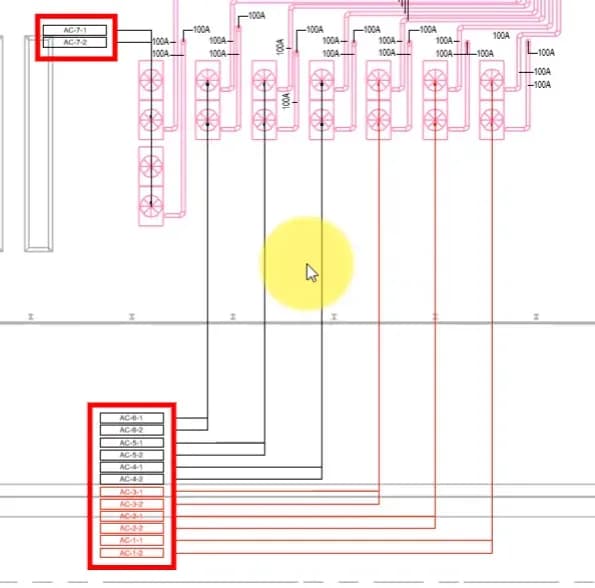
For grouping the mechanical equipment tags in this example, we can use the configuration below:
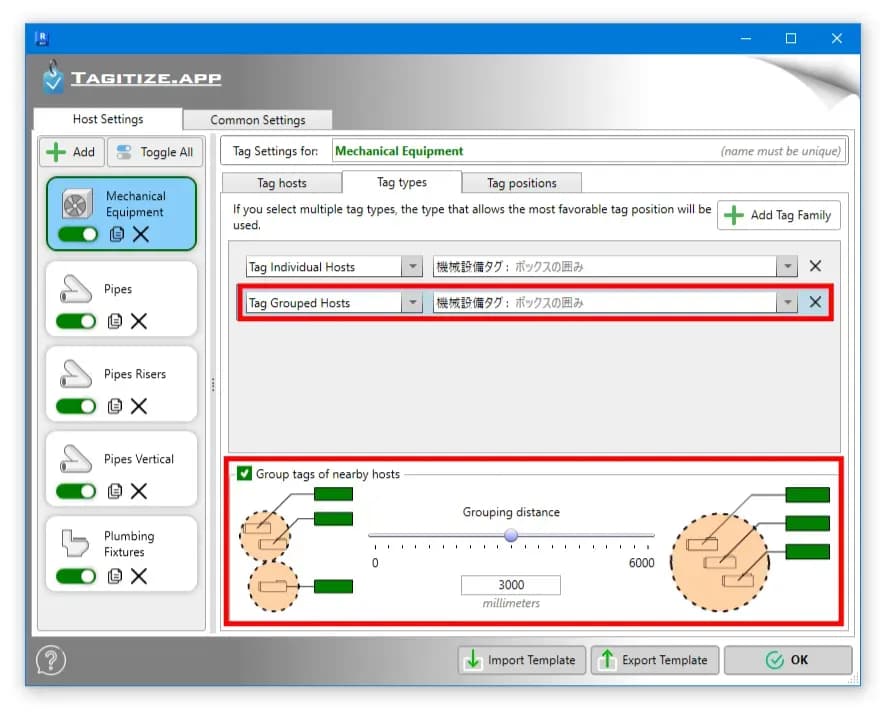
Creating Riser Tags
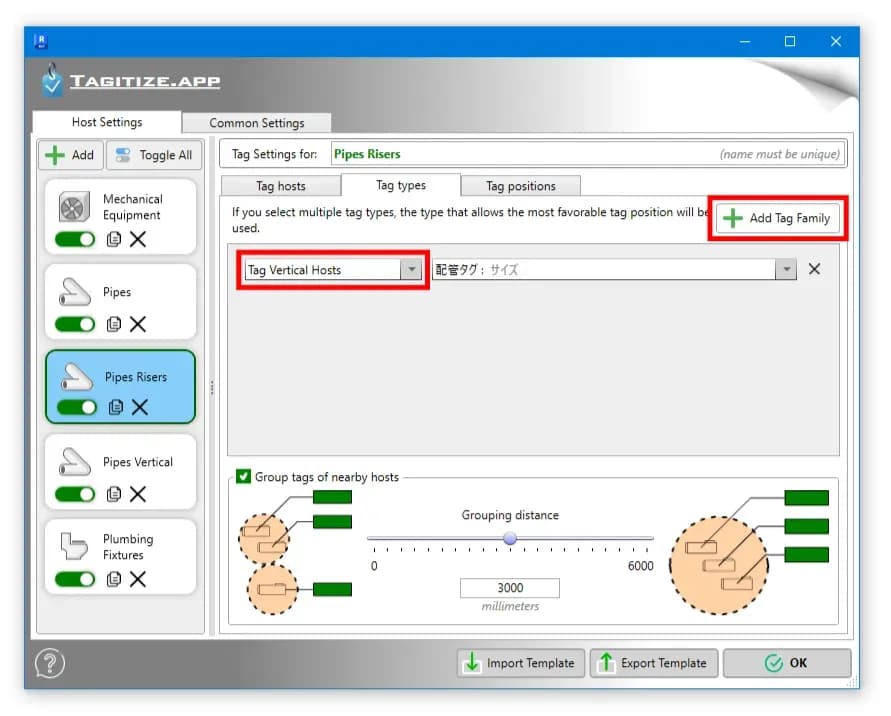
Another feature that works well with MEP views is the creation of riser tags. These tags need to reference ducts or pipes that run vertically to the floor above or below the view’s reference level.
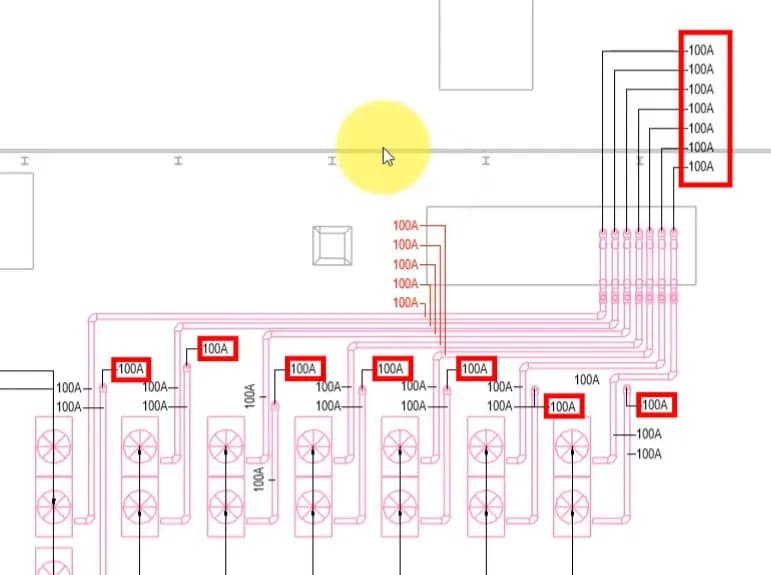
We can achieve this easily in Tagitize by specifying a tag family for “Vertical Hosts” as below:
Add your final touches
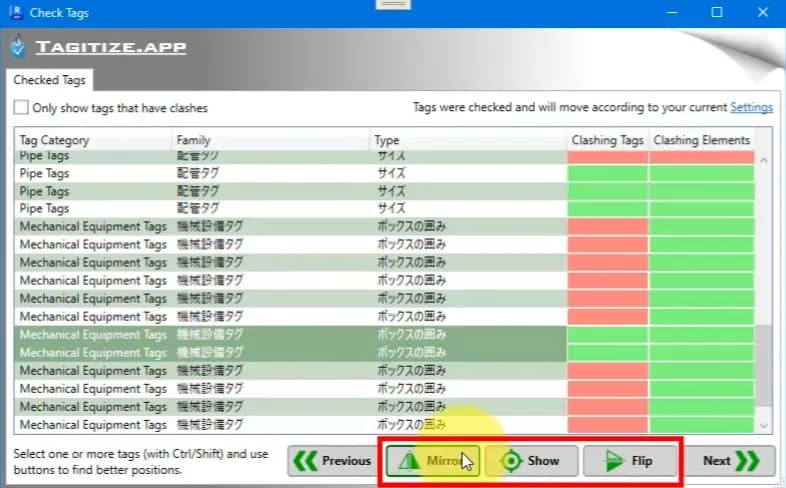
Once Tagitize has generated the required tags, use the handle Audit commands if you want to further improve the positions of new tags:
Which other Revit MEP categories will you tag with Tagitize? Experiment and let us know!
🚀 Use Tagitize to simplify your tagging process across multiple views and sheets.