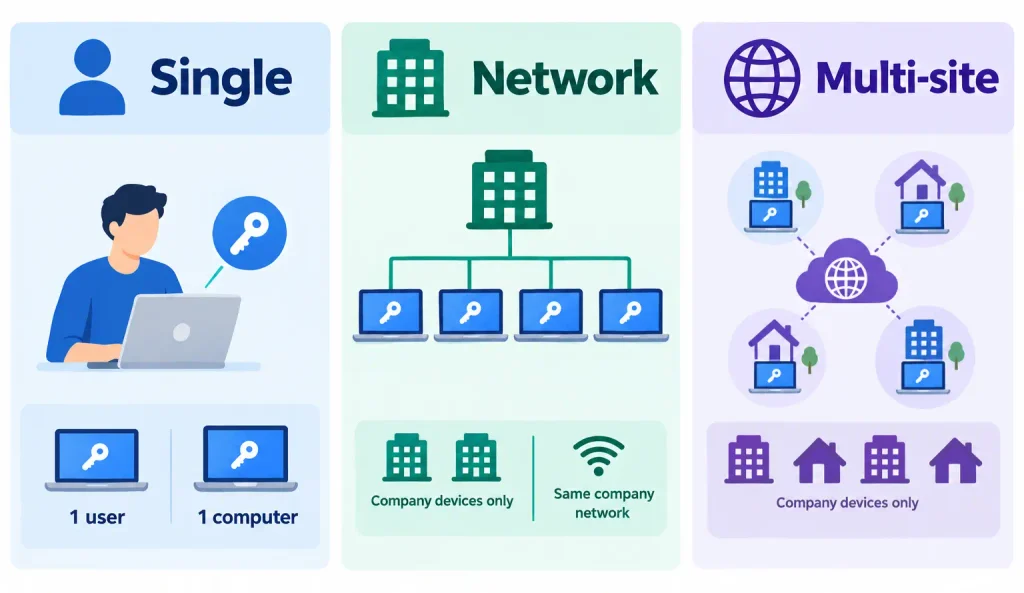
A Multi-site license works exactly the same way as a Network one. The only difference is:
- Network license users must be on the same company network and using company devices
- Multi-site license users only need to be on company devices
This makes Multi-site license a great option if your colleagues also work from site or from home.
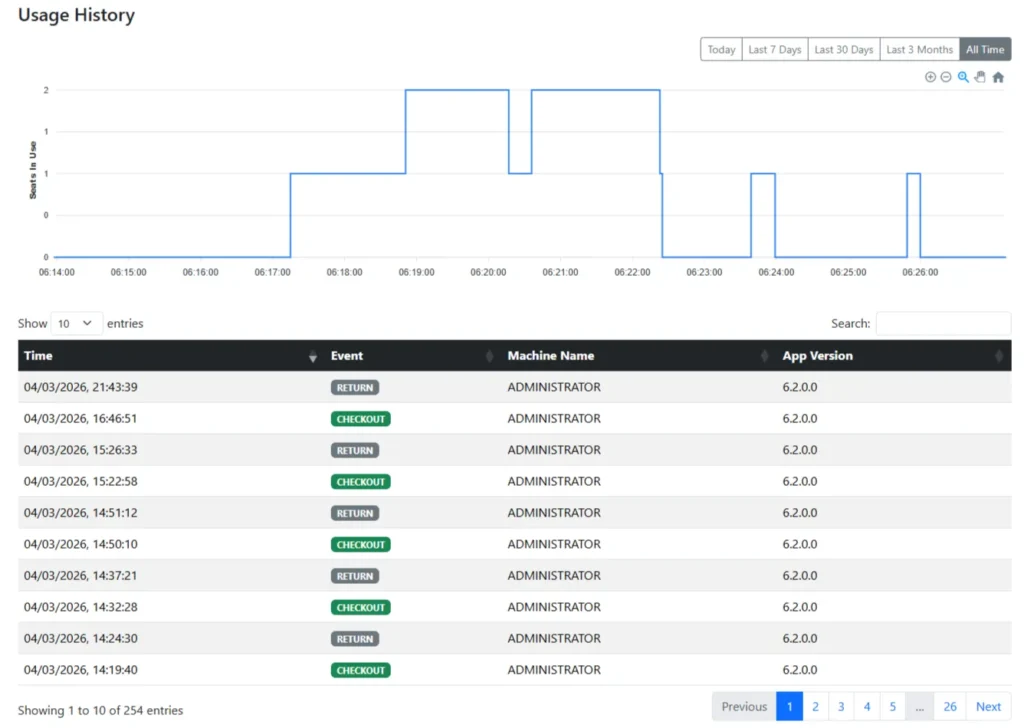
For completeness, here are what you can do with a Multi-site license:
Checking out a license #
Using Revit alone does not consume a plugin license. A license is only checked out the first time you launch the plugin within a Revit session, provided a license is available.
Returning a license #
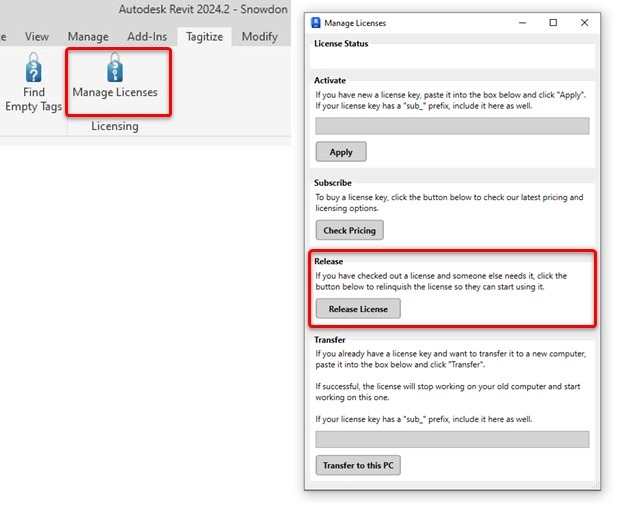
To release the license, just close the Revit window in which the app was launched. Alternatively, go to Manage License and click Release License. Upon successful release, the plugin will close automatically.
If you reopen the plugin later, it will attempt to acquire a license again, assuming one is available.
Deploying the license #
Multi-site license can use the same process of deploying a Network license.
License Management Portal #
The same portal serves both Network and Multi-site license holders. To access it, check out this guide.