
So far, we only have one tag type on each category card. Tagitize can be much more flexible! It can tag the same category using different tag types depending on the condition of each tag host.
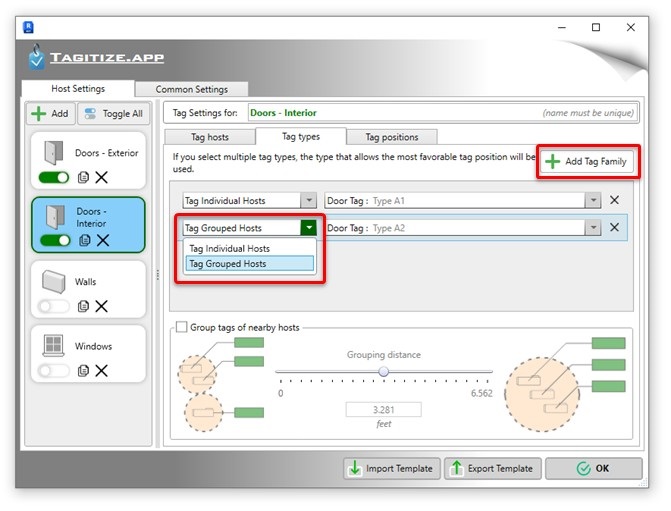
To specify multiple tag types per category, select a card and switch to the Tag Types tab. Next, click the Add Tag Family button to insert new entries into the list. Each entry defines a tag type to use for a certain host condition, such as hosts standing individually or those inside a group.
You can define one tag type per host location type. For most categories, Individual Hosts and Grouped Hosts are the only options.
See how to configure each host location type, refer to our detailed articles below:
Regardless of the position types selected, remember you can further improve the location of any generated tag using the hand Audit commands.
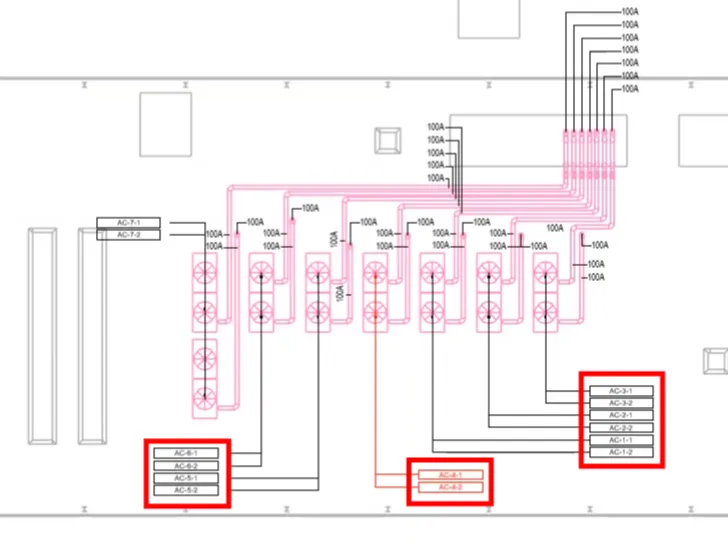
Here is a quick demo of tagging a view using all the available tag position types: