Tagitize
Getting a multi-seat Network license
By incorporating multiple seats into your network license, your team can utilize a single license key on various devices. This streamlines the management of our applications within your organization. The default number of seats is one. To adjust this value, use the + and – buttons…
1 min read

By incorporating multiple seats into your network license, your team can utilize a single license key on various devices. This streamlines the management of our applications within your organization.
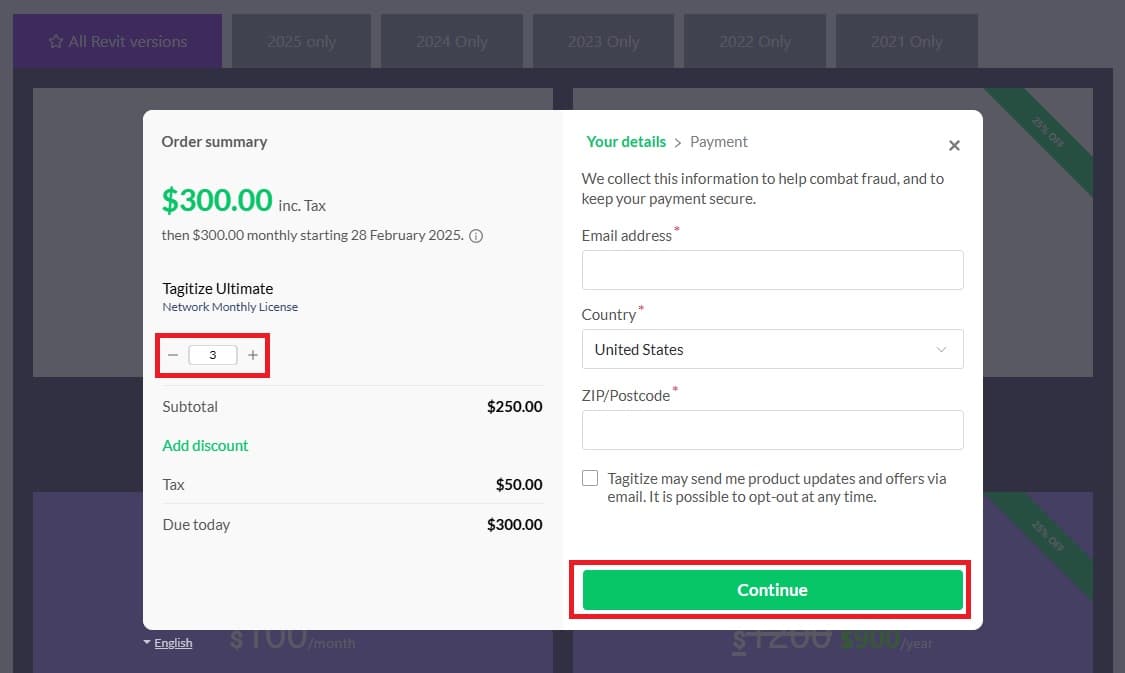
The default number of seats is one. To adjust this value, use the + and – buttons available on the checkout form. The total payable amount will update dynamically as you do this. Once you are happy with the seat count, click Continue to finish the checkout as usual.
If you need help with any of this, please let us know at support@tagitize.app.