
Find & Clean Empty Tags in All Revit Views

Ways to Remove Empty Tags Empty tags showing up as question marks are one of those small Revit issues that quietly waste a lot of time. They clutter views, confuse consultants, and often slip through to documentation if they are not actively checked. In this case study, we will look at two practical ways to […]
Tagging Revit MEP Models

Compared to other design disciplines, tagging drawings in MEP is the most challenging due to the higher density of elements in the view. The common categories to tag are: These and other MEP categories are all fully supported by Tagitize. For example, the result of tagging the first 3 category groups will look like this: […]
How to Run Revit ‘Tag All’ on Multiple Views

There are several methods for quickly running Tag All for several views in Revit at the same time, from manual to automated. Check out all these below and see what works best for you. If you only want an automated, most efficient solution, simply scroll to the end! The Challenge with Revit’s ‘Tag All’ Command […]
Tagging Revit Structure Models

Tagtize works with all Revit Structure categories. Some common ones are: To set up the app for these categories, simply add the relevant cards: Here’s a quick demo of tagging a view showing structural framing, floors, and columns: If you also have structural foundations to tag, it will look like this: Which other Revit Structure […]
Tagging Revit Architecture Models

You may have room/space tags that overlap many other elements in the view. This is because by default, Revit places these tags at the location points of rooms or spaces, without considering other existing objects in the view. Just run Tagitize instead. It will intelligently consider all visible elements in the view to give you […]
Fix Revit’s “Tag All” not Working with Rooms
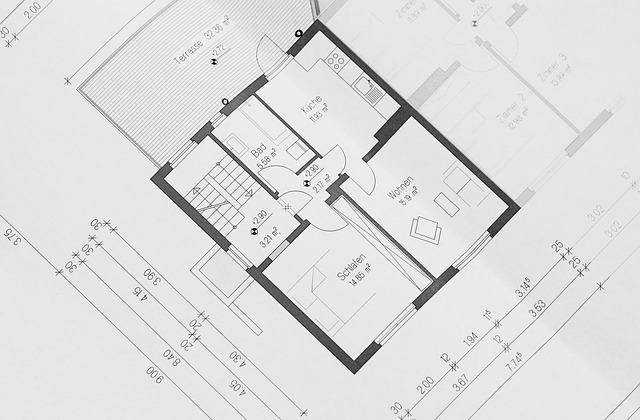
Room tags play a crucial role in Revit documentation. It helps designers, architects, and contractors quickly understand and navigate a building’s spaces. In Revit, most users rely on the Tag All Not Tagged command to place room tags across an entire view. However, a frustrating Revit issue arises with Tag All mysteriously not working with […]
Getting a multi-seat Network license

By incorporating multiple seats into your network license, your team can utilize a single license key on various devices. This streamlines the management of our applications within your organization. The default number of seats is one. To adjust this value, use the + and – buttons available on the checkout form. The total payable amount […]